

LinkedIn for Business has become an essential tool for any organization looking to grow and expand its professional network. LinkedIn for Business offers a range of tools and features that can significantly boost your company's visibility and networking opportunities. Here, we guide you step by step on how to create an effective company profile on LinkedIn.
If your business doesn't have a presence on this platform yet, now is the time to start. Here's how you can create a LinkedIn profile for your company that is not only attractive but also effective in achieving your business goals.
1.Creating the LinkedIn page for Business
The first step to establishing your company on LinkedIn is to create a corporate page.
You'll need a personal account from which you can manage the company page.
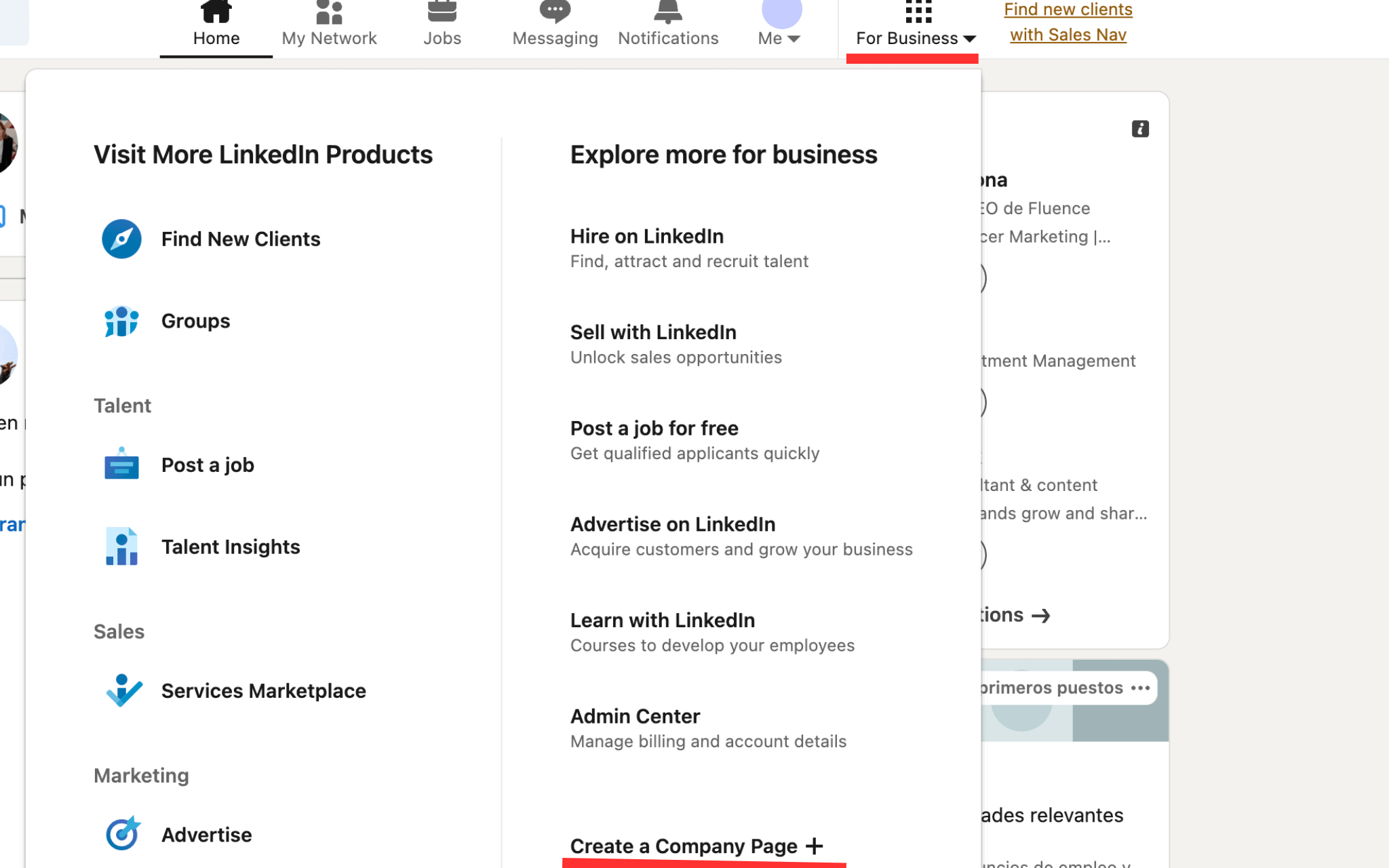
Head to the “For business” section in the upper right corner and select 'Create a Company Page.' This will initiate the process of creating your corporate profile.
2.Select the appropriate page type
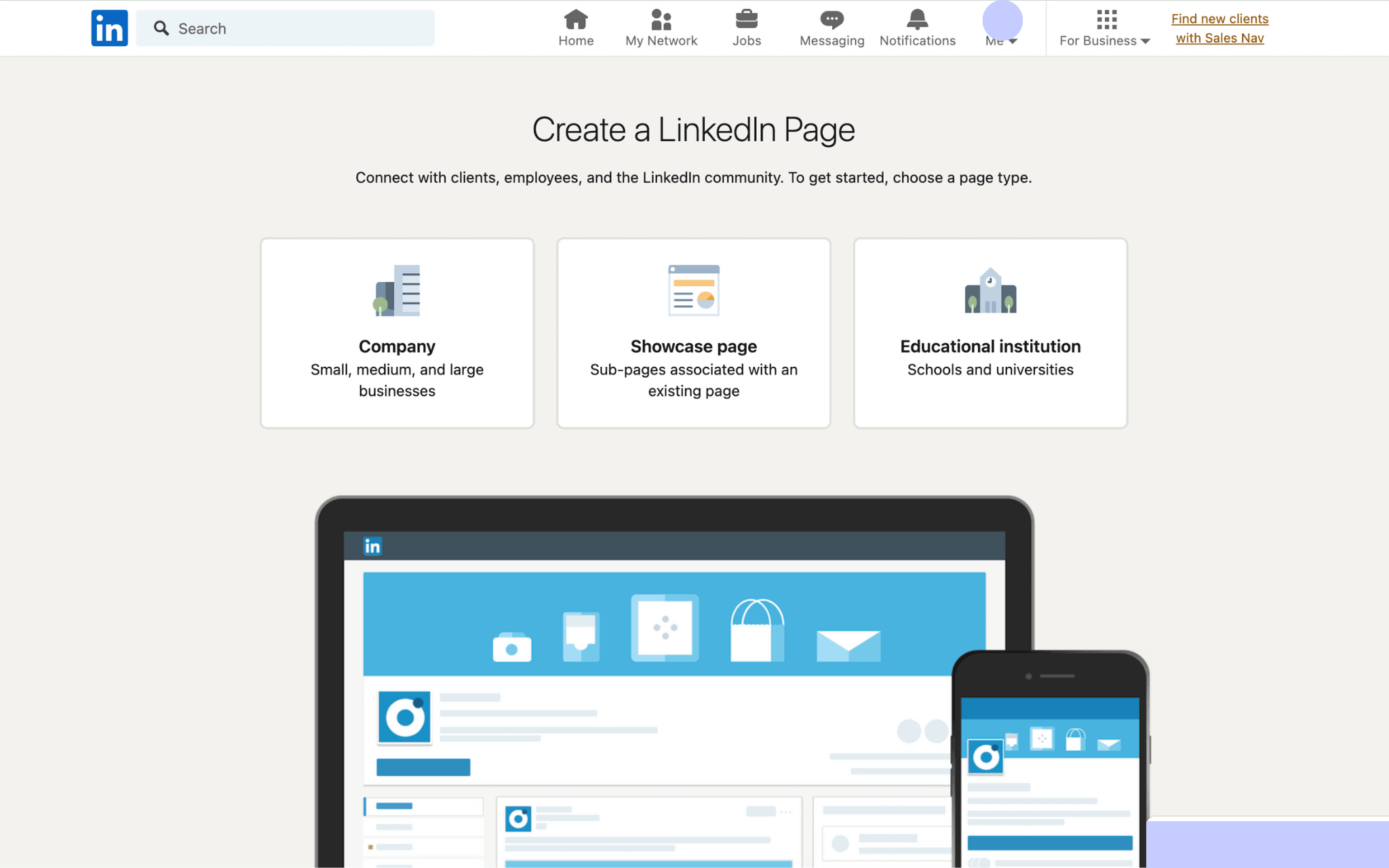
LinkedIn offers several options depending on the type of entity you represent:
- Company Page: Ideal for businesses of any size, from startups to large corporations.
- Showcase Page: Perfect for subdivisions of companies already established on LinkedIn.
- Educational Institution Page: For entities dedicated to education, such as schools and universities.
3.Complete your company’s basic details
Every detail matters when setting up your LinkedIn business page:
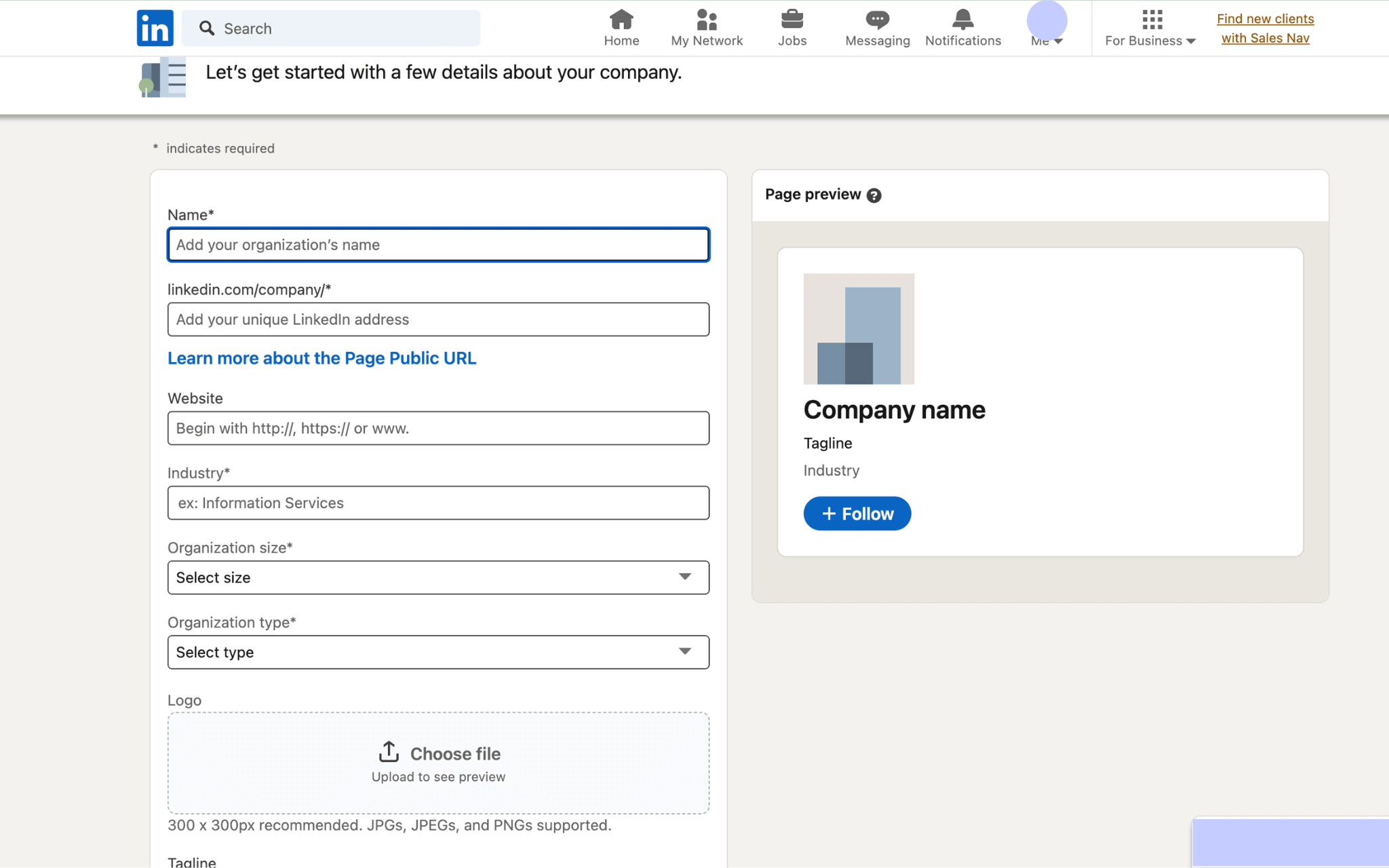
- Company name: Ensure it’s recognizable and, if possible, includes keywords to enhance search visibility.
- Public page URL: LinkedIn will generate a URL based on your company name. This URL is crucial as it will be how users find your page directly.
- Industry, Size, and Company Type: These details help categorize your business on the platform, making it easier for the right users to find you.
- Logo and Tagline: The logo should be high-quality, and the tagline should encapsulate the essence of your business in a few words.
4.Adding or removing administrators
To effectively manage your company page, you can assign different roles to your team members:
- Super Administrators:
Have full control over page management and administrators.
- Content Administrators:
Can create and manage posts.
- Analysts:
Have access to the page’s performance metrics.
5.Profile optimization and management
Once your page is created, it's crucial to optimize and manage it properly:
- Website URL: Add your website link to drive traffic directly from LinkedIn.
- Company Description: Use up to 2000 characters to describe your business, including keywords to improve SEO on the platform.
- Location: Add detailed information about your company’s location to improve local relevance.
Custom Button (CTA): Set a clear call to action, such as 'Visit Website' or 'Contact Us,' to facilitate interaction with visitors.